
Virtual Staging Before and After: What AI Actually Changes
By Goodesign Editorial ·
A virtual staging before-and-after is more than a selling asset — it's an X-ray of how the technology thinks. Read several pairs side by side and a pattern emerges: the same categories of things change every time, and the same categories of things never do. That pattern matters twice: sellers and agents need to know what they're paying for, and buyers need to read staged photos critically. This article dissects four real before-and-after pairs, names exactly what changed in each, and draws the line between staging and something less honest.
What the AI changes in a before-and-after
Across hundreds of staged listings, the edits fall into five buckets:
- Furniture. The anchor pieces — sofa, bed, dining set — plus supporting ones: nightstands, dressers, coffee tables. Furniture is the entire point of staging, and it's chosen to match the room's real dimensions.
- Rugs and textiles. A rug defines the zone and absorbs the acoustic hollowness of an empty room; cushions and throws soften hard furniture silhouettes.
- Lighting objects. Floor lamps and table lamps, which add warm points of light at eye level. This is where most of the "after is cozier" feeling comes from — empty rooms lit only from the ceiling photograph cold.
- Wall decor. One or two framed pieces, rarely more. Art scales the wall and stops it reading as a blank backslash.
- Small decorative props. A plant, a bowl, a book stack. The layer that says "lived in" rather than "displayed."
Notice what's absent: nothing structural. That's not an AI limitation — the models can redraw walls happily. It's the rules of staging: altering the room itself crosses from illustration into misrepresentation.
What stays identical
In an honest before-and-after, the before and after agree on everything permanent: wall positions, window placement and size, the view through the glass, flooring, doors, radiators, outlets, baseboards, ceiling height. The room is recognizably the same room with the furniture swapped. This is the test most staged photos pass and manipulated ones fail — and it's the first thing to check when a listing photo looks suspiciously good, as explained in when virtual staging misleads buyers.
Now the pairs. Each before/after below was produced from one photo of a real empty room — the same image, one pass through AI virtual staging.
Before and after 1: the living room that gains a purpose
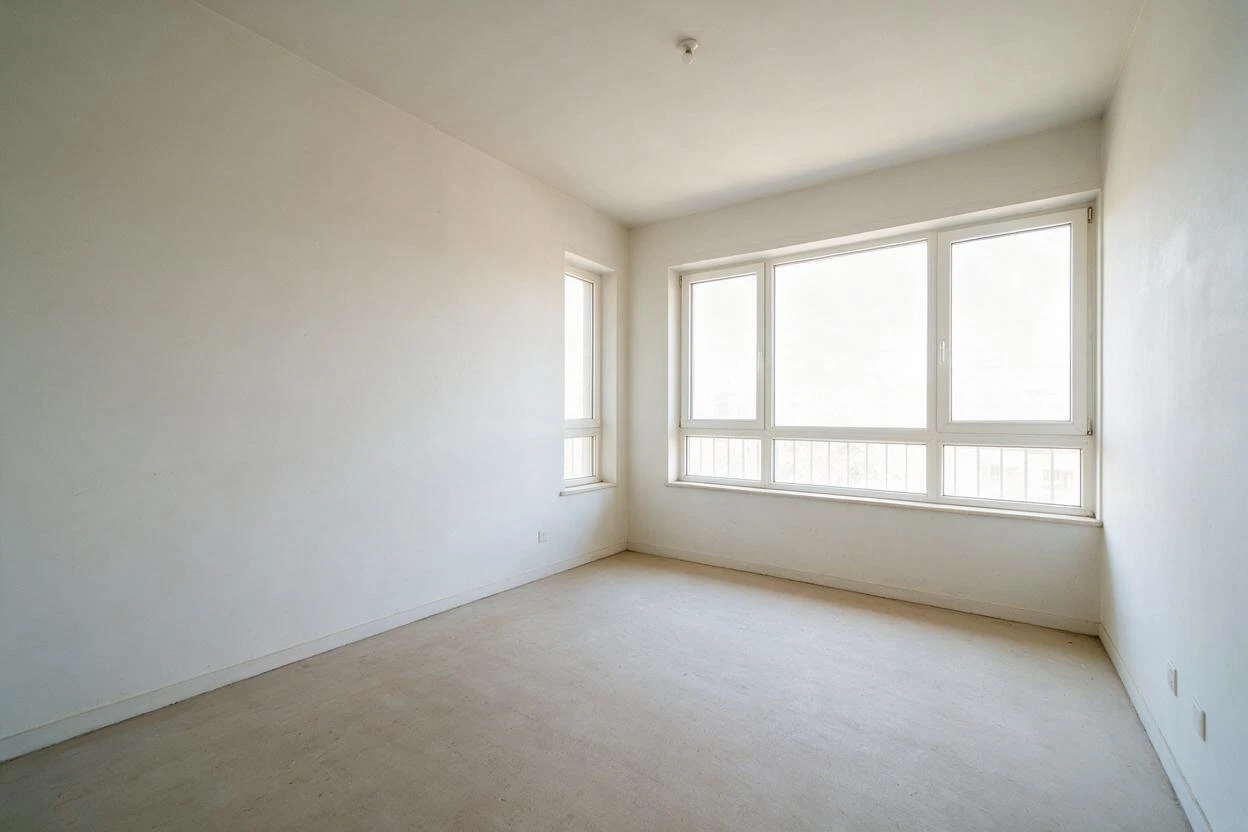
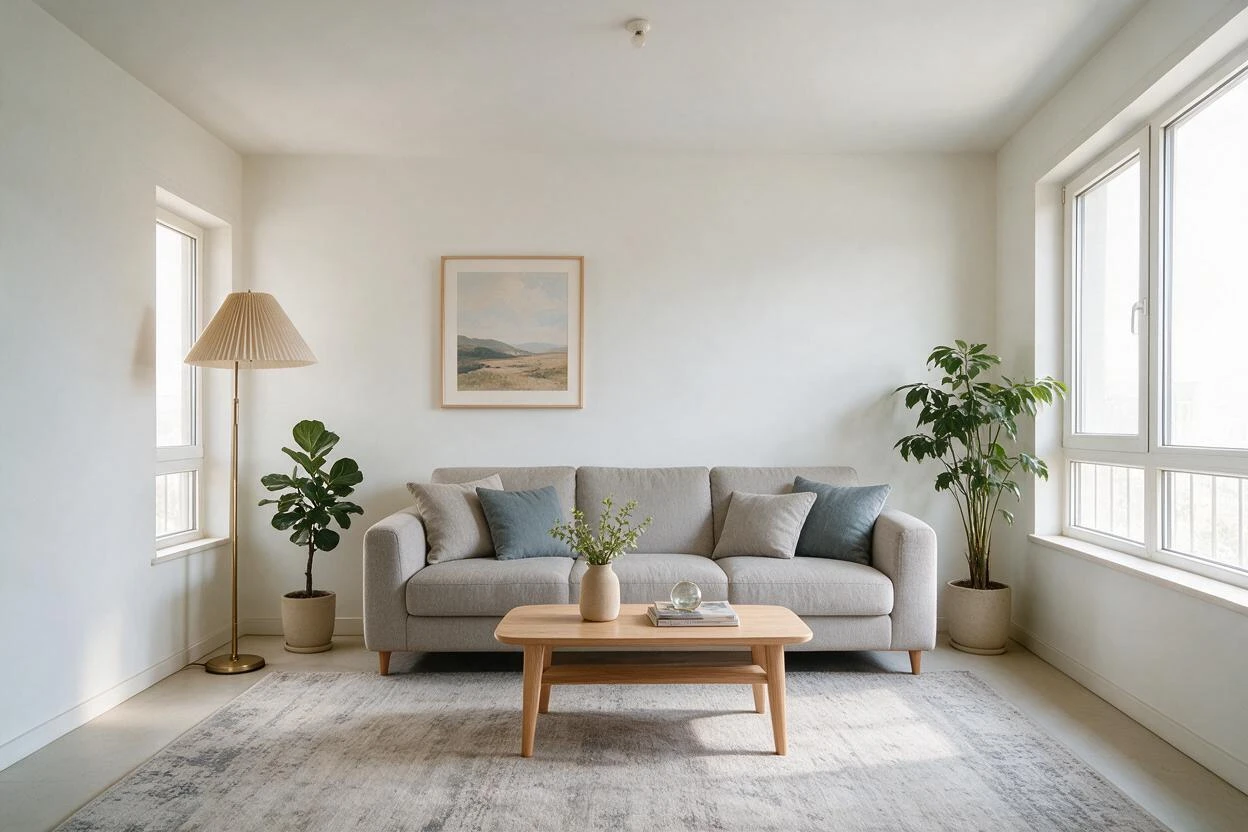
Everything the previous section promised, in one pair. The furniture is scaled to the real wall (the sofa's two-thirds proportion reads correctly against the window wall), the rug anchors the seating zone, and the lamp adds the warm counterpoint to daylight. What the after also quietly fixes is the visualization problem: the before could be a bedroom or a storage room; the after could only be a living room.
Before and after 2: the bedroom that finds its calm
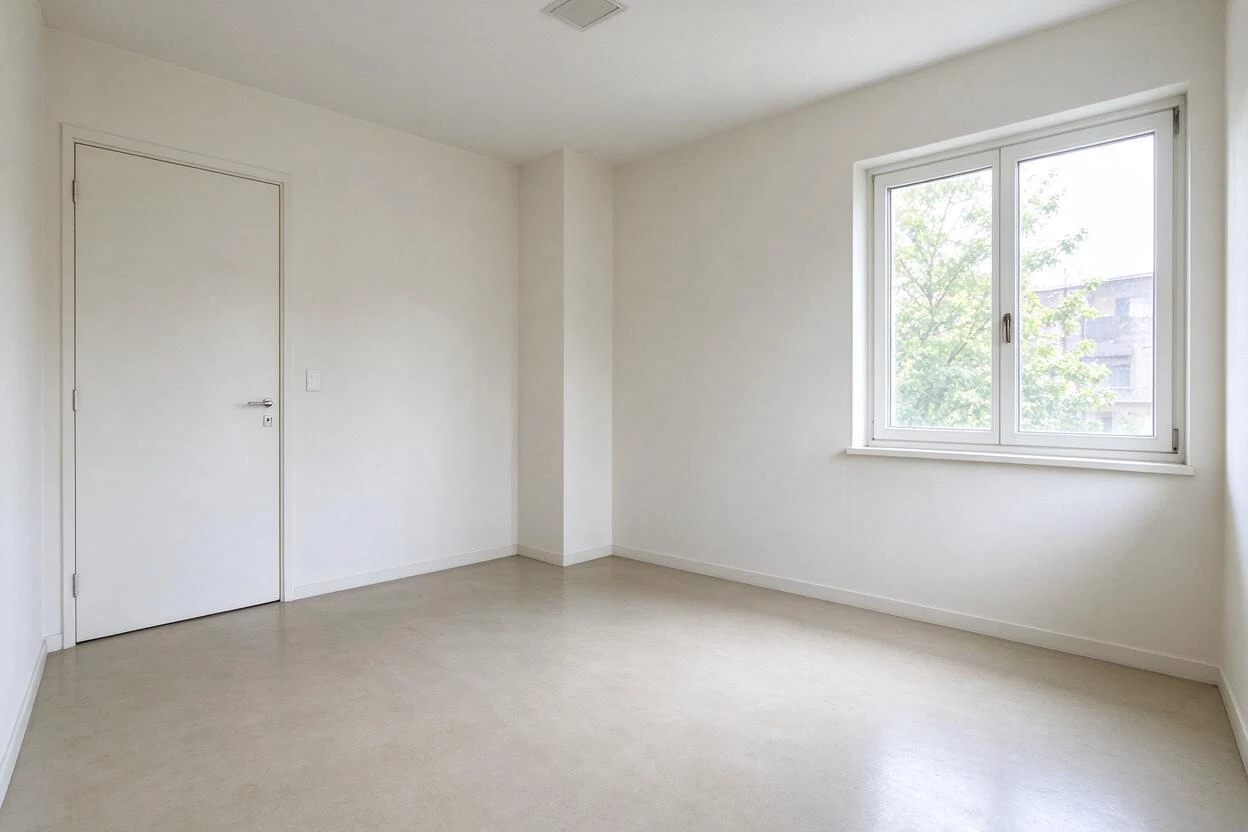
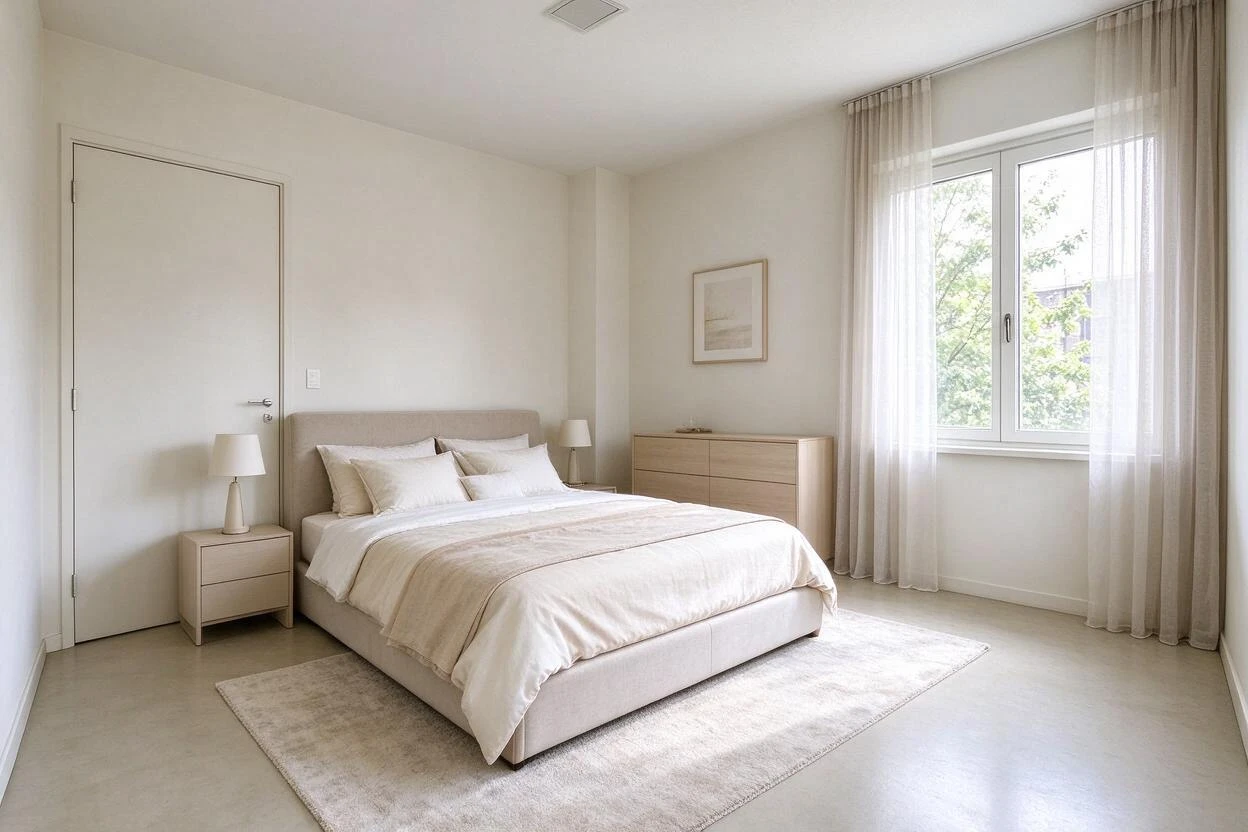
Two details worth noticing. The bed goes on the solid wall — real staging logic, since beds face away from doors where the plan allows, and the AI applied the convention correctly. And the sheer curtains are textile staging, not window changes: the glass, frame, and view are pixel-identical between the pairs. Bedrooms photograph on calm, and the layered bedding does more work than any furniture beyond the bed itself.
Before and after 3: the kitchen that needs almost nothing
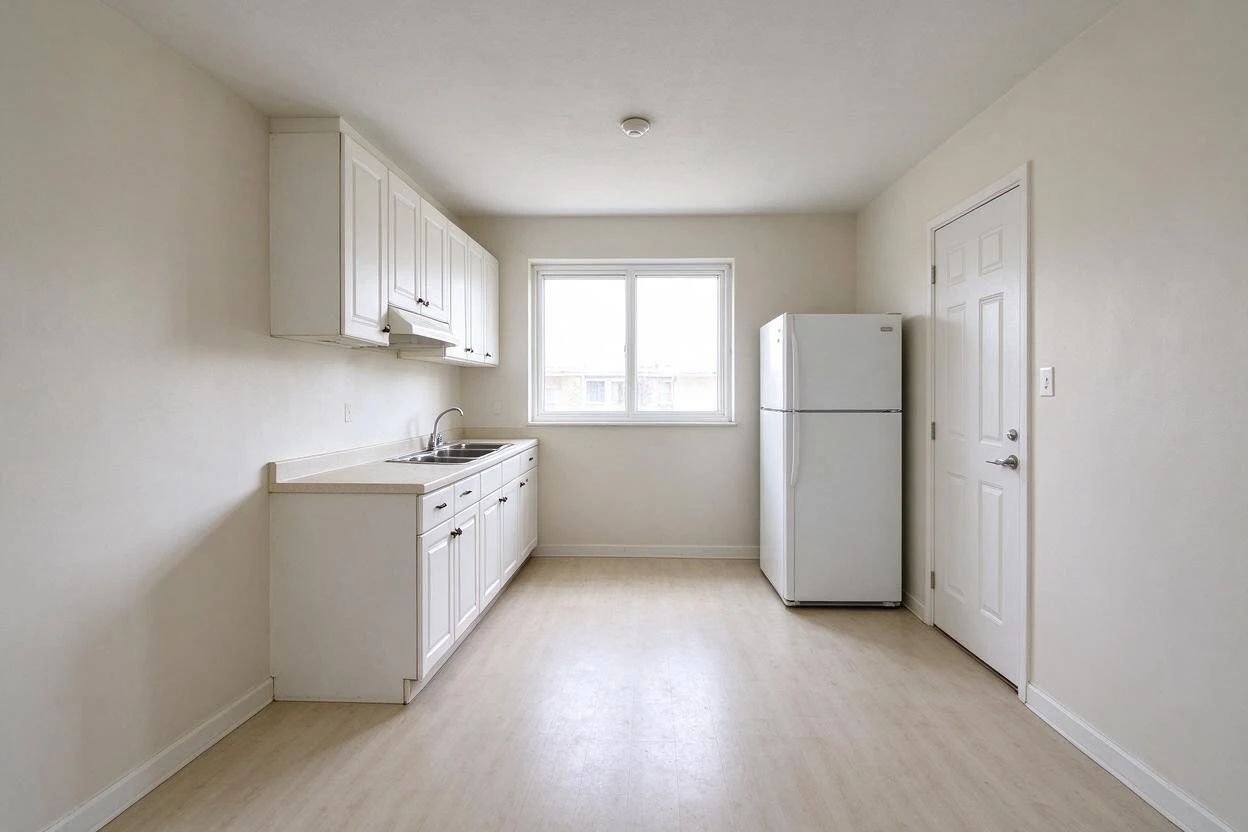
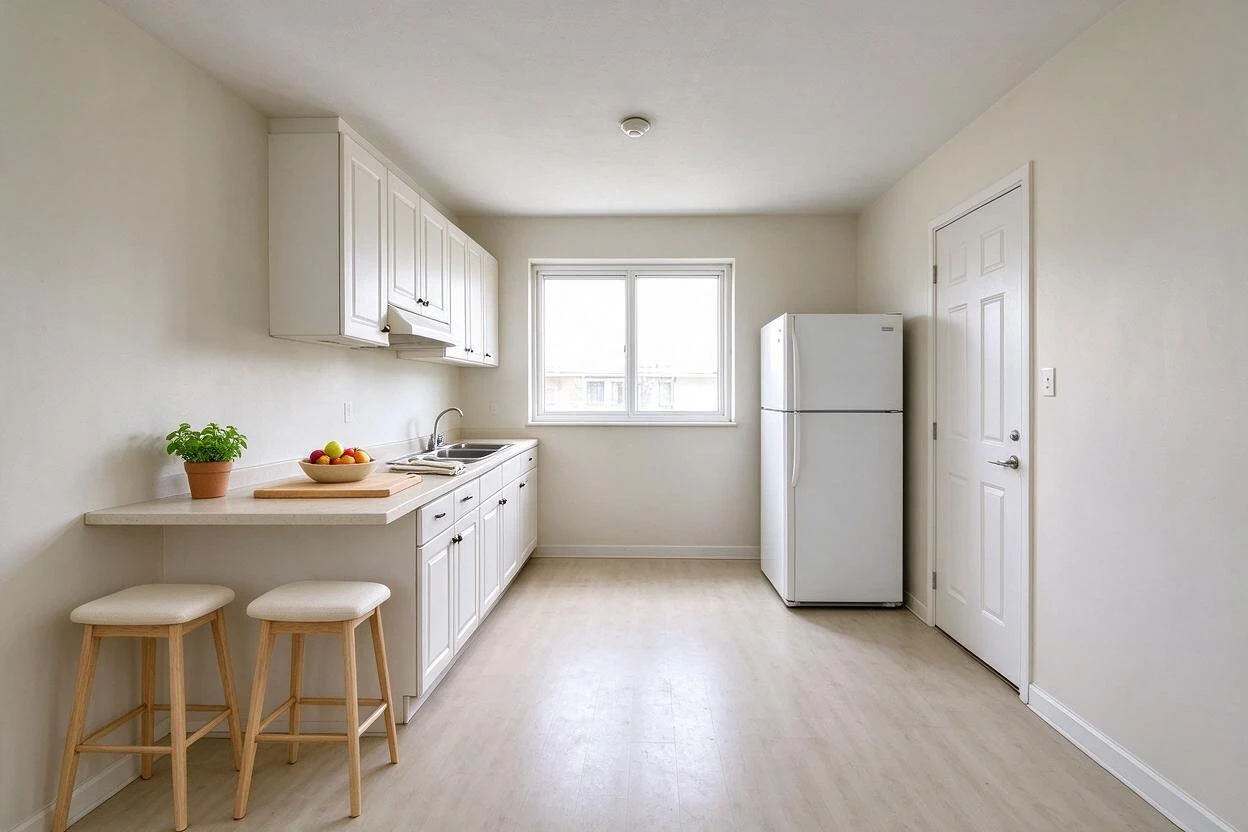
The instructive pair, because the change is small and strategic. The kitchen's furniture problem isn't a sofa-sized gap; it's that nothing suggests the room gets used. A counter extension with two stools answers it — and demonstrates that good staging edits function, not just decor. It also shows the judgment layer AI now applies: filling this room with a full dining set would have crowded a galley layout that real staging would leave alone.
Before and after 4: the dining room that defines its zone
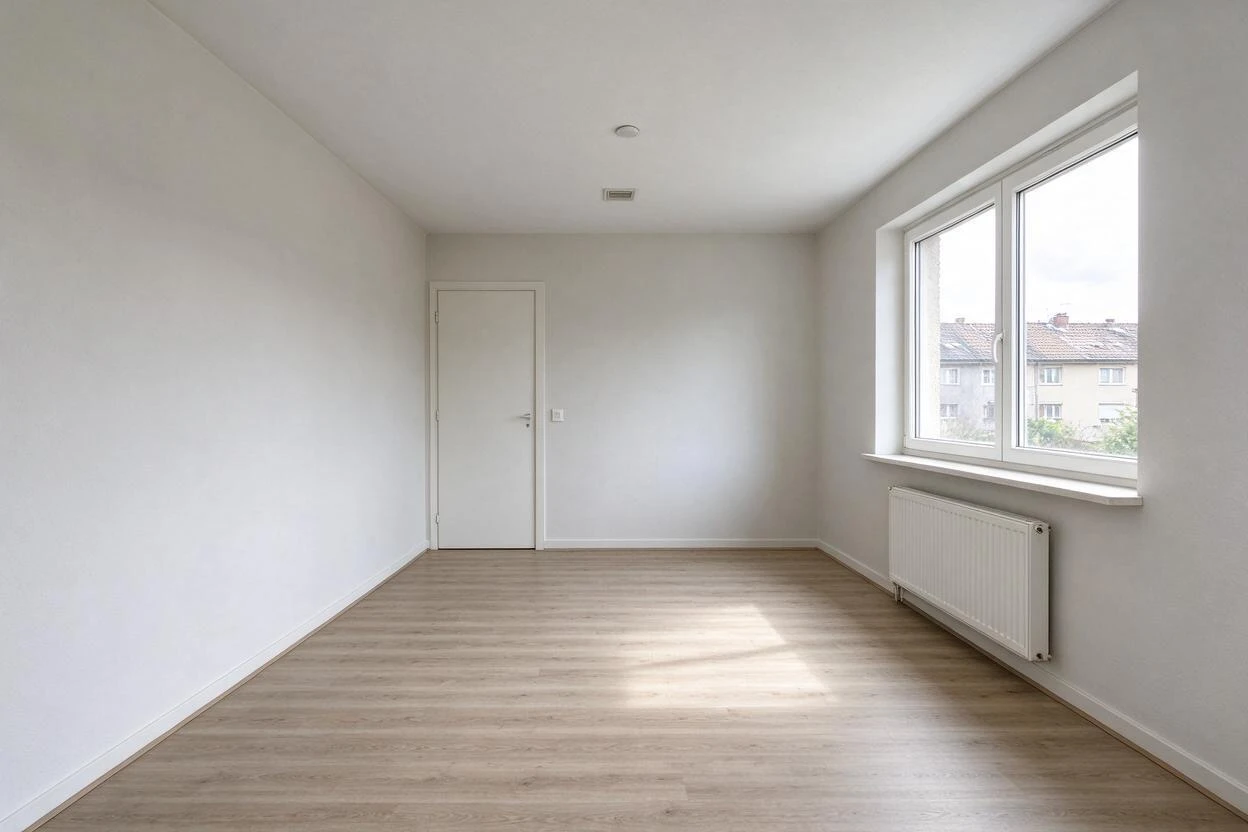
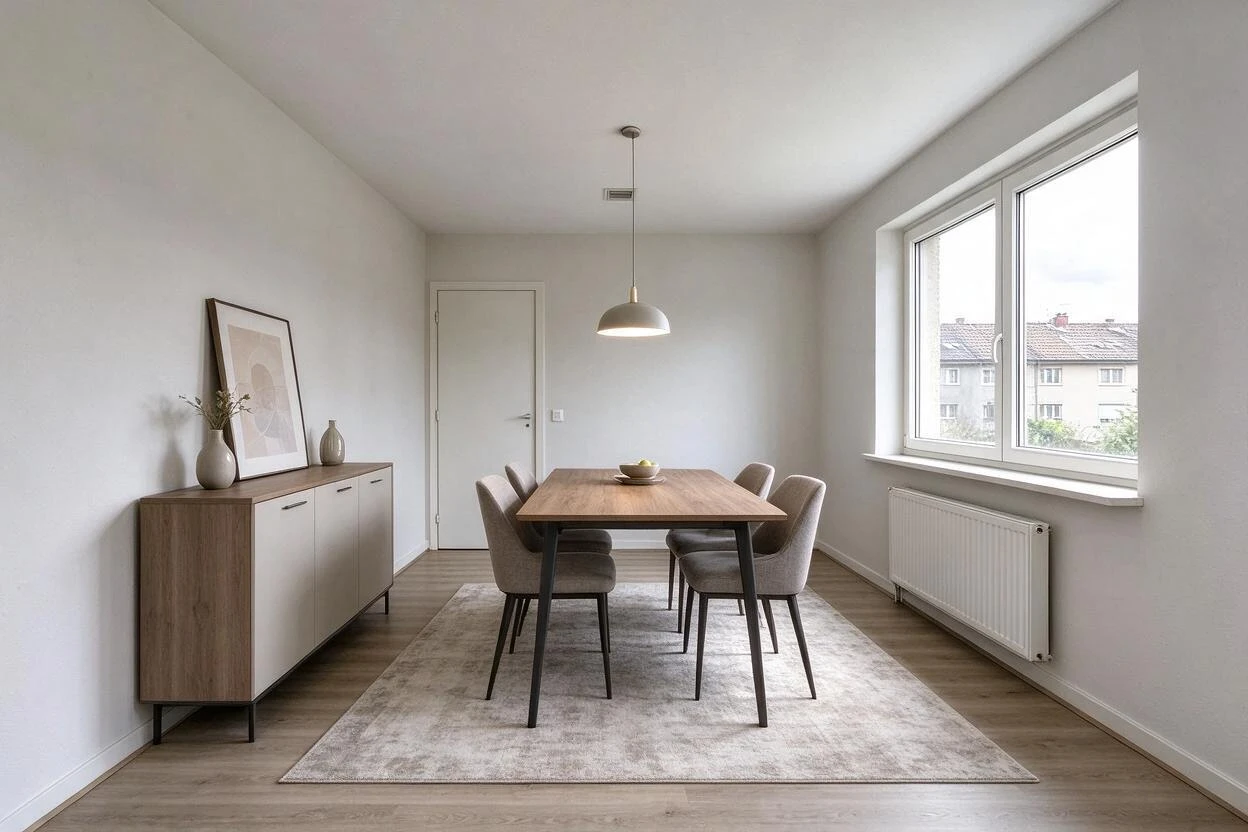
The strongest transformation of the four, and the one carrying a footnote. Adding a pendant where the ceiling has none is common in virtual staging and goes slightly beyond furnishing — the fixture implies wiring that may not exist where you'd want it. Most boards accept it under a staging label; the honest practice is saying so, the same way the caption does. Compare the pair's bones, though: radiator, window, door, floor, and walls are identical, and the rug-plus-table zone sizing is exactly how a stager would furnish it physically.
How to read any before-and-after critically
The four pairs train a repeatable check, useful on any listing:
- Find the fixed features. Locate the window, door, and radiator in both images. If they moved, shrank, or vanished, it isn't staging.
- Check the scale reference. Does the furniture fit the door it would have come through? Beds wider than doorways happen more often than you'd think.
- Look at what the light does. Shadows from the real window should fall on the staged furniture in the right direction. Mismatched shadows are the classic fake tell.
- Ask what the photo is claiming. Furniture and textiles: illustration, harmless. Fixtures, walls, views: a claim about the property itself, which needs disclosure or a footnote.
Why the after photos read as credible
The reason these pairs don't trip the uncanny valley is consistency: perspective lines continue through the added furniture, light direction matches the window, and materials keep their matte honesty (no glossy renders in a daylight room). Earlier generations of virtual staging failed on exactly this — furniture that floated, shadows that disagreed with the sun. The current generation passes the glance test, which is why disclosure, not detection, is now the real ethical frontier: the photo won't announce itself.
FAQ
What does a virtual staging before-and-after actually show?
The same photo of a real room twice: once empty, once with digital furniture, rugs, lighting objects, and decor added. Walls, windows, floors, and views stay identical — that's the boundary between staging and manipulation.
Does virtual staging change the walls or windows?
Not in honest staging. The architecture is preserved so buyers see the room they'll visit. Changing walls, windows, or views is photo manipulation, which MLS rules treat differently and which requires explicit disclosure.
How can you tell if listing photos are virtually staged?
Check the fixed features against other photos in the set, look for shadow direction that disagrees with the window, and check furniture scale against doors. Also read the listing — disclosure captions are increasingly common and often required.
Is a staged photo the same as a renovation render?
No. Staging shows the existing room furnished; a renovation render shows the room changed — new tile, moved walls, added fixtures. Both are legitimate, but a render must never be presented as the current state of the property.
Does the furniture in a virtual staging exist anywhere?
No — it's generated to match the room's dimensions and style. That's the cost advantage: no warehouse, no rental, no install day, and the look can change between two renders.
Related solutions